Compare bids and choose a driver
See which drivers are offering to carry your shipment, check their profile and reviews, approve the best bid and pay securely.
- 1Step 1
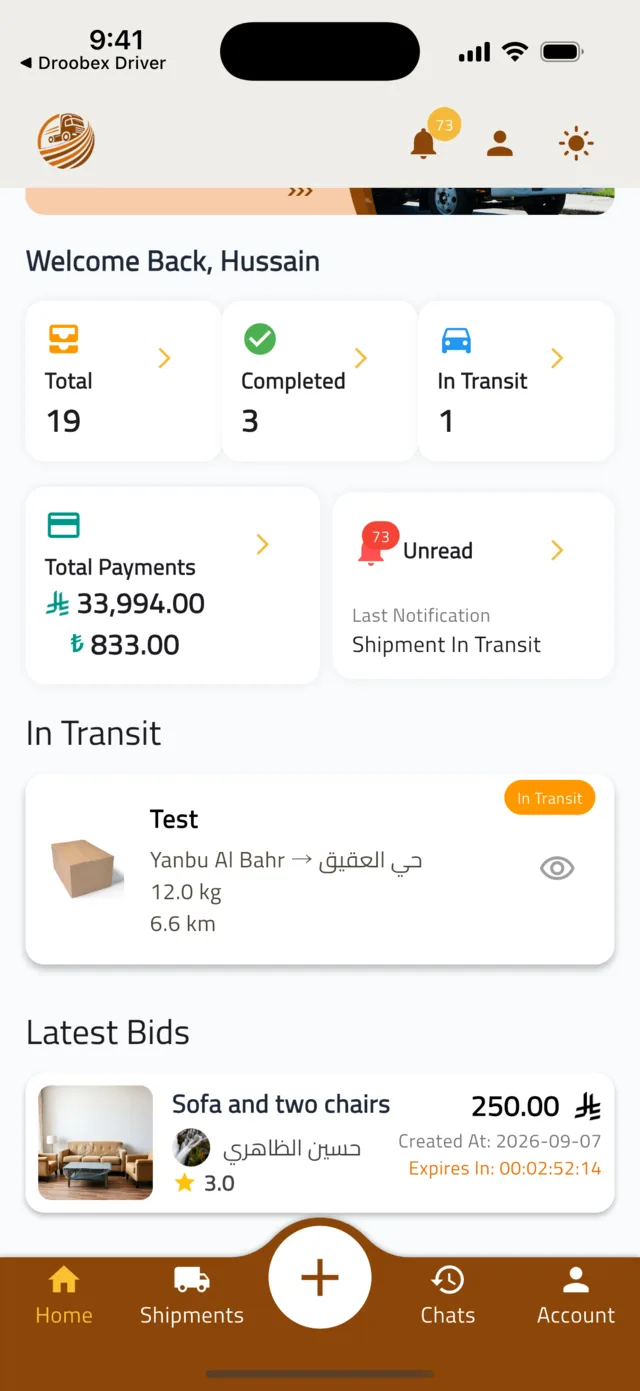
Find the bids on your shipment
You get a notification for every new bid. While bids are still open, the Home tab lists them under Latest Bids — tap one to open it. You can also open the shipment from the Shipments tab and switch to its Bids tab, which lists every bid the shipment has ever received.
Tip: Bids expire. The Expiry date on each bid card tells you how long the driver's price stays valid.
- 2Step 2
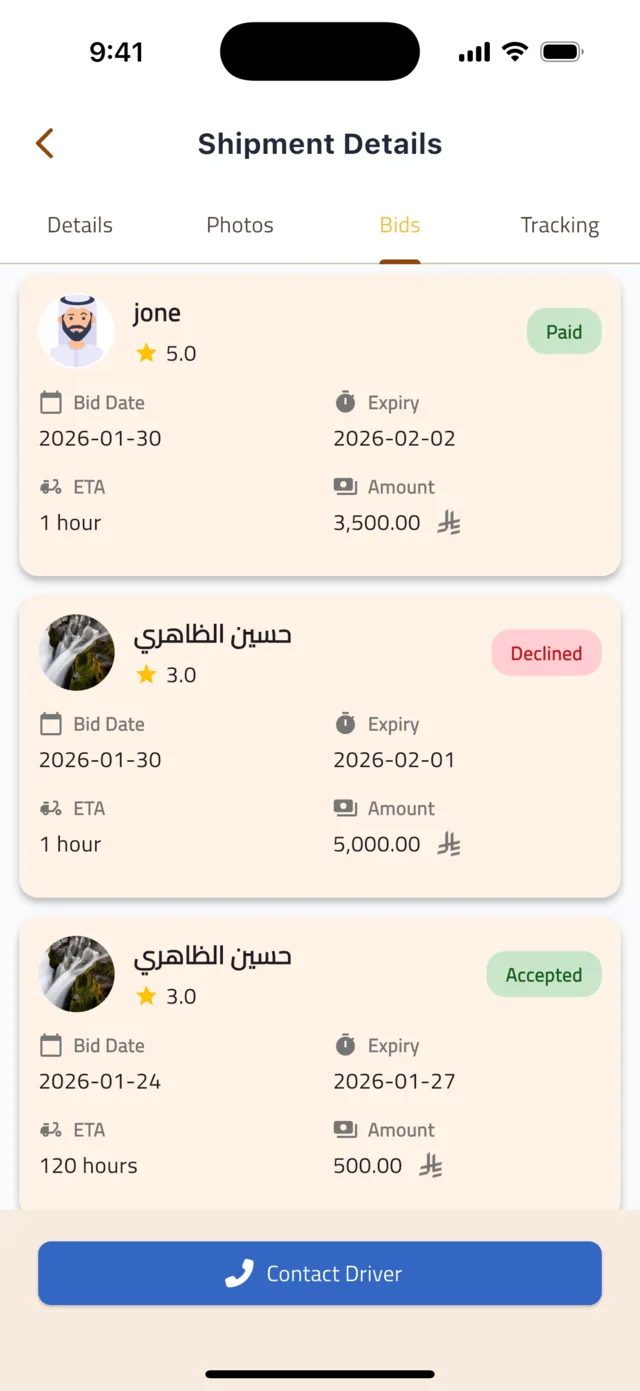
Compare the offers
Each bid card shows the driver's name and photo, their star rating, the Bid Date, the Expiry, the ETA in hours, the Amount and a status chip (Active, Paid, Expired, Withdrawn). Tap a bid to open Bid Details, then tap the driver to see their profile: Verification Status, Trust Score, Performance Metrics, Member Since, their vehicle and Reviews from other shippers.
Tip: The cheapest bid is not always the best one. A Verified driver with good reviews and a suitable vehicle is worth a little more.
- 3Step 3
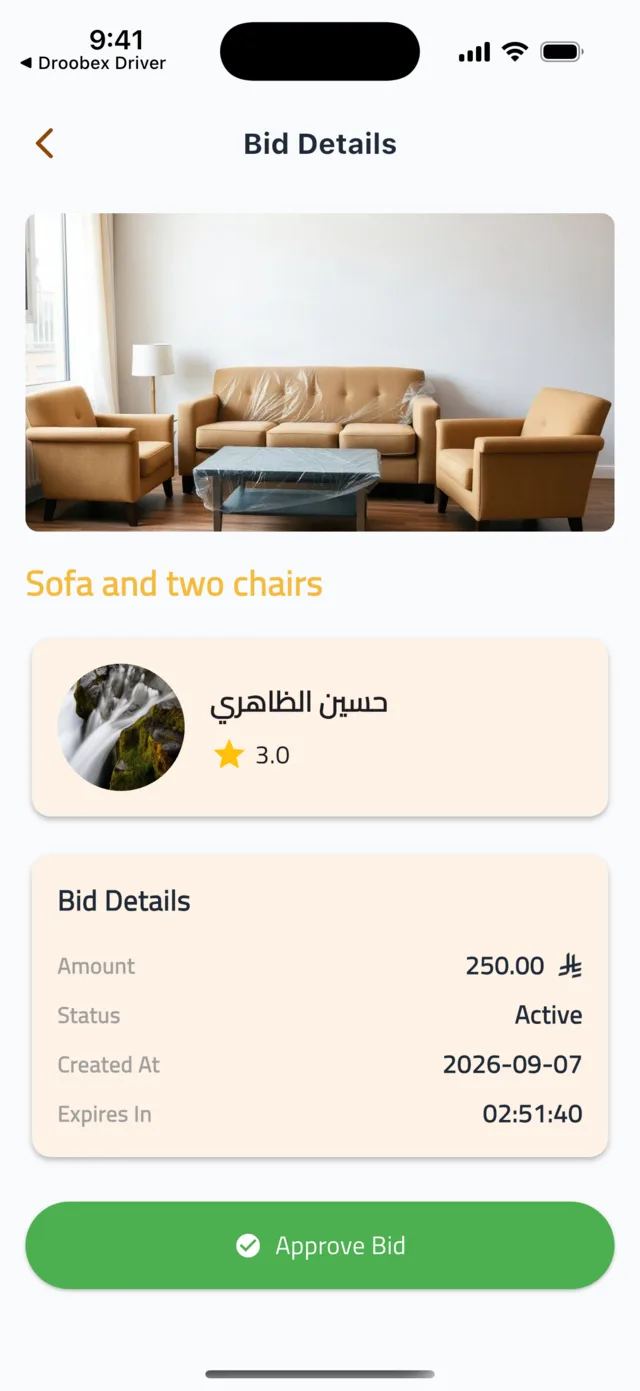
Approve the bid
On the Bid Details screen tap Approve Bid. Confirm the question Are you sure you want to approve this bid? with Confirm. The payment screen opens right away — the bid is only awarded once you have paid.
- 4Step 4
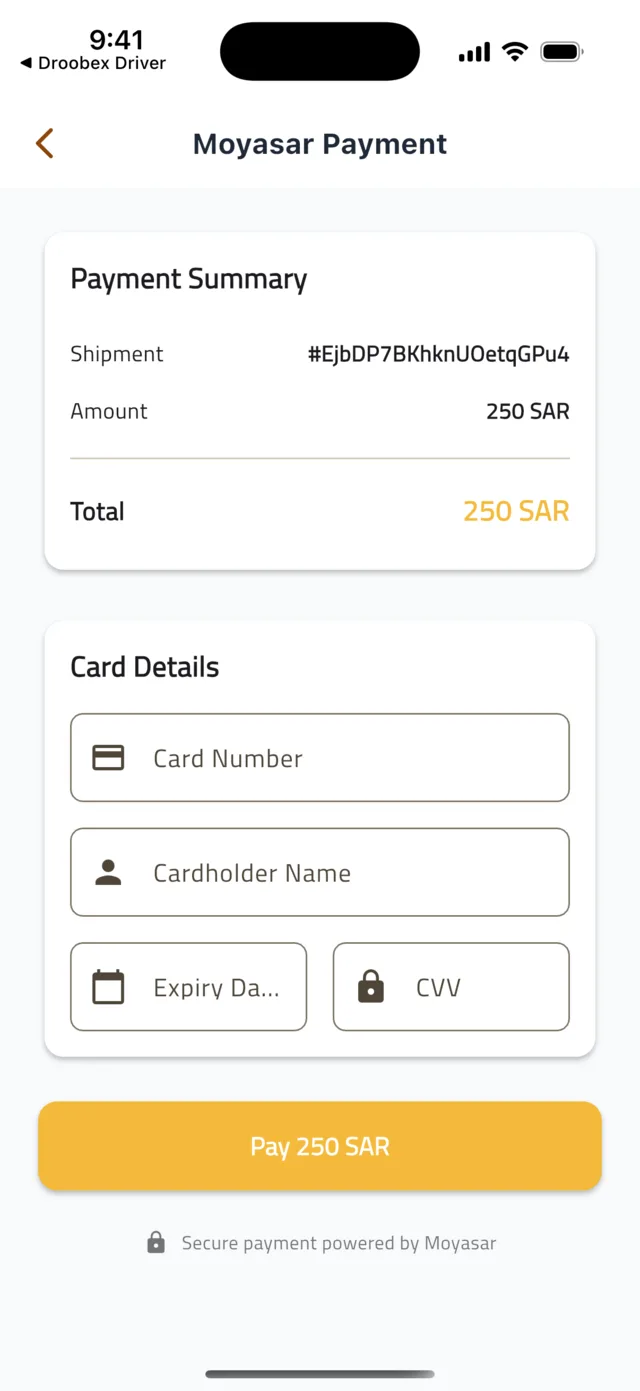
Pay securely
Enter your card details (mada, Visa or Mastercard) and tap Pay. Your bank may ask you to confirm the payment with a one-time code. When it goes through you see Payment Successful!, the bid shows Payment Completed, and the shipment moves to Ready for Pickup with the driver assigned.
Tip: Droobex holds your payment. The driver is paid after you confirm delivery, so pay with confidence.
Common questions
What happens to the other bids?▼
Once you approve and pay one bid, the shipment leaves the bidding stage and the other offers are no longer valid. Only the driver you paid can pick it up.
Can I message a driver before approving?▼
Contact Driver appears once a bid is approved and paid. Before that, judge drivers by their profile: Verification Status, Trust Score, Reviews and vehicle details.
The payment failed or was cancelled.▼
Nothing is charged and the bid stays Active. Go back to Bid Details and tap Approve Bid again. If your card keeps being refused, contact your bank or try another card.
No one is bidding on my shipment.▼
Check that the status is Bidding — a shipment left in Created is invisible to drivers. Clear photos, exact addresses and a realistic weight also make drivers more willing to bid.
Still stuck?
Open the Account tab → Help & Support inside the app to chat with us, or visit the Support Center.
Support CenterGet Droobex Shipper