Find shipments and place a bid
Browse shipments near you, check the details, and win the job with a competitive bid.
- 1Step 1
Start from the home map
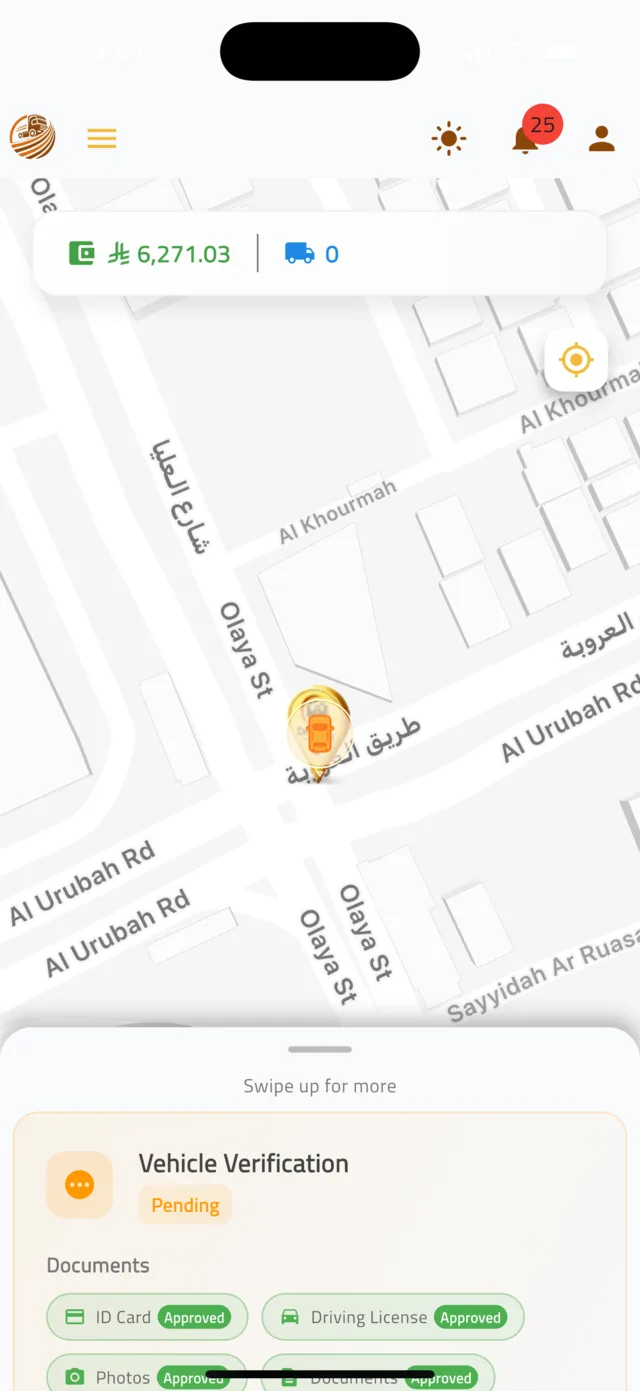
After login you land on a map of shipments around you. Drag the panel at the bottom upwards (Swipe up for more) to see your stats, Pending Bids and the Nearby Shipments list. Each nearby card has a bid button that opens the bid form directly.
Tip: The icons at the top are: your profile picture, the ☰ menu, light/dark theme, notifications and Account. Almost everything starts from the ☰ menu.
- 2Step 2
Browse all open shipments
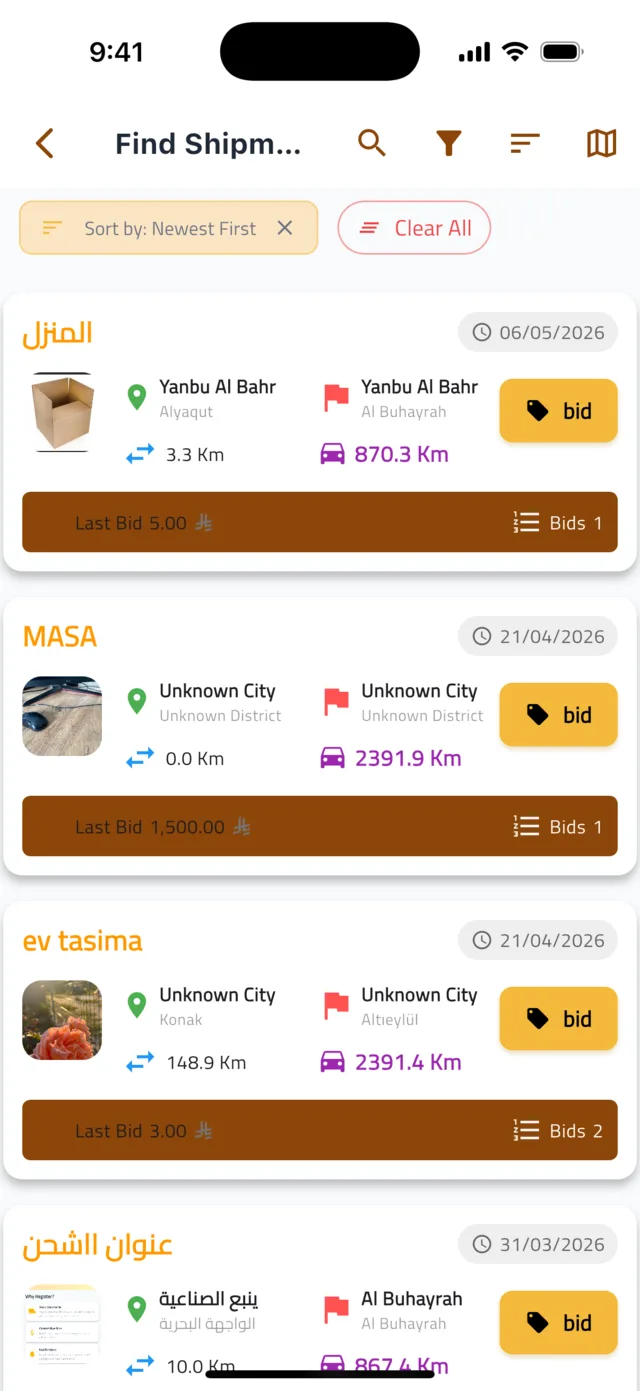
Tap the ☰ menu and choose Find Shipments. Every shipment open for bidding is listed. Use the icons at the top to search, filter, sort and switch between list and map view. Sort by Newest First, Distance or Price: Low to High to find the jobs that suit you.
- 3Step 3
Check the shipment details
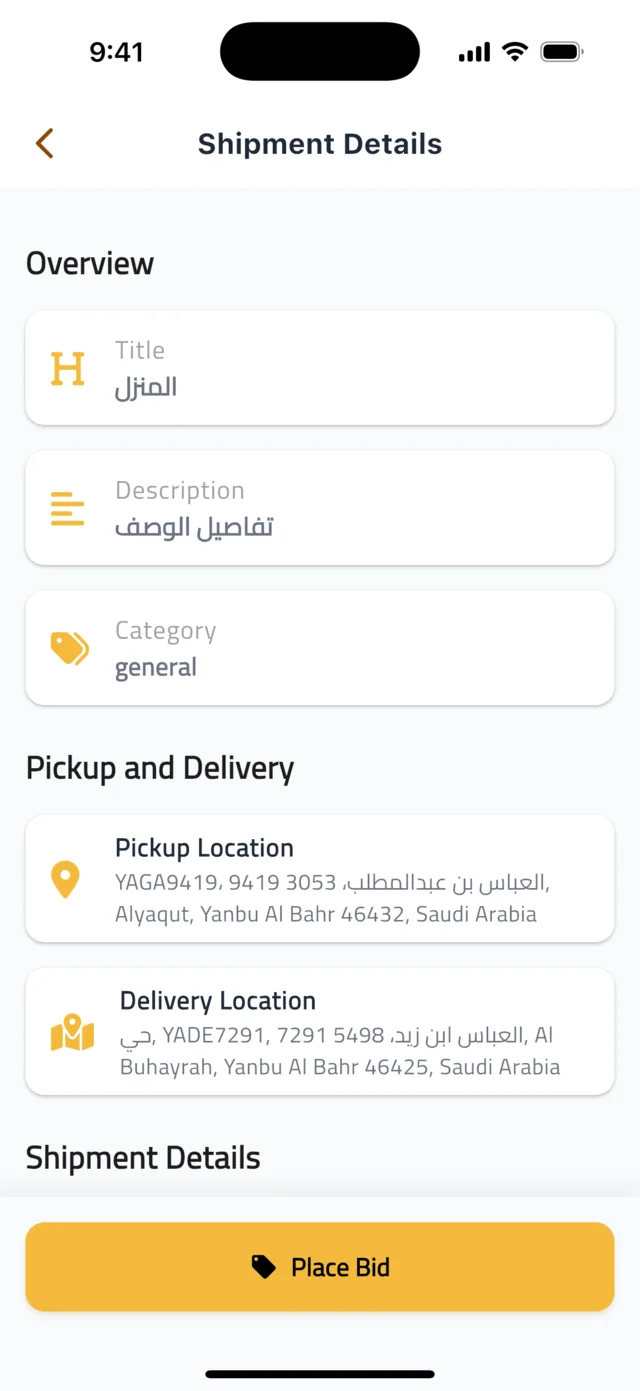
Tap a shipment to open Shipment Details. You see the photos, Title, Description and Category, the Pickup Location and Delivery Location, the distance, Weight and size, plus the Last Bid and how many bids there are already.
- 4Step 4
Place your bid
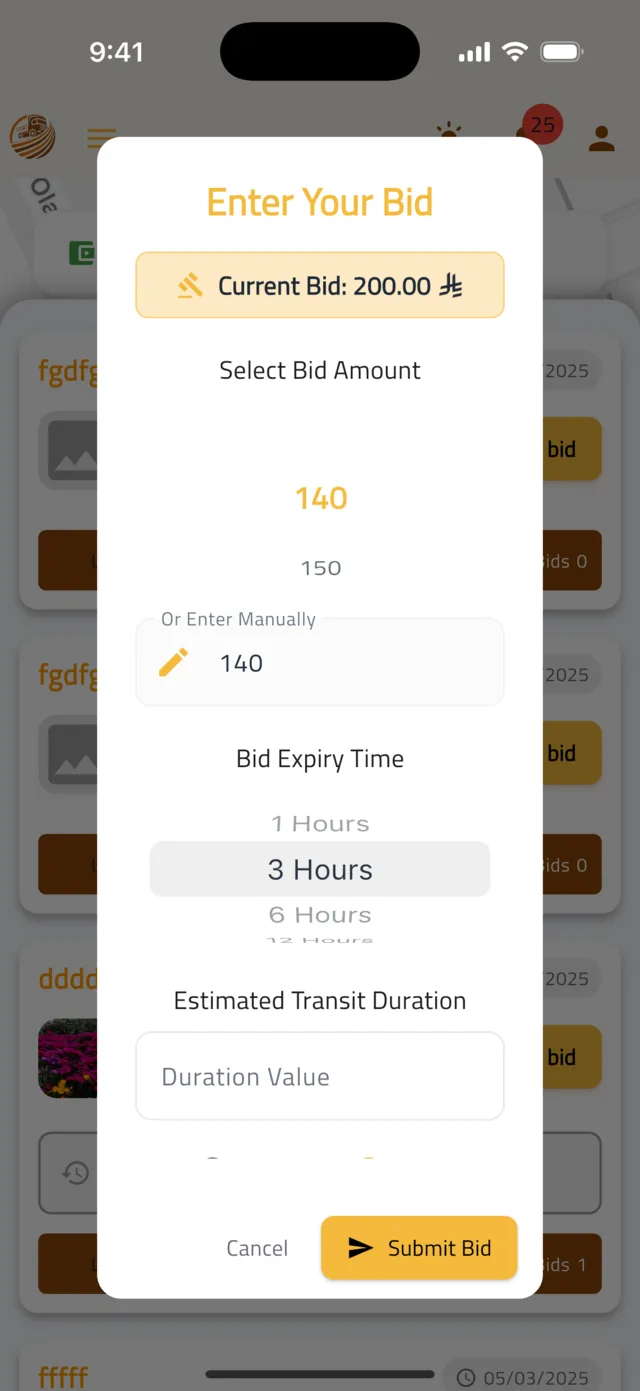
Tap Place Bid. In the Enter Your Bid form, choose one of the suggested amounts under Select Bid Amount or type your own under Or Enter Manually. Set the Bid Expiry Time (for example 3 Hours) and the Estimated Transit Duration you need for the trip. Tap Submit Bid.
Tip: The Current Bid shown at the top is the price to beat. Bid what the job is worth to you — if another driver goes lower you can always bid again.
- 5Step 5
Track your bids
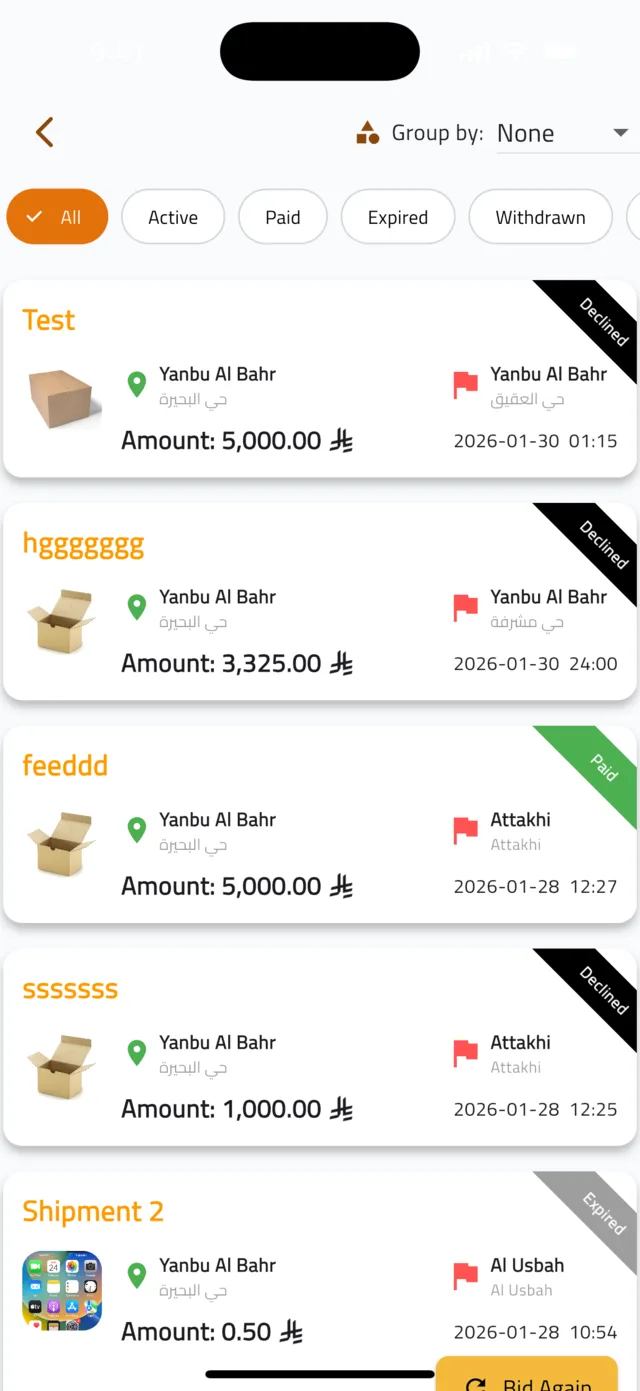
Open ☰ menu → My Bids. Use the chips to filter by Active, Paid, Expired or Withdrawn. When the shipper accepts your bid and pays, it becomes Paid, you receive a notification, and the shipment appears under My Shipments as Ready for Pickup. On an Expired bid, tap Bid Again.
Common questions
Why can't I submit my bid?▼
Every field in the bid form is required: an amount, a Bid Expiry Time and an Estimated Transit Duration. Check the red message under the field that is missing.
The shipper did not answer my bid.▼
Bids expire after the time you chose. When a bid is Expired you can tap Bid Again as long as the shipment is still open.
Where is the bottom navigation bar?▼
On the home map the bar is hidden so the map has more room. Open the ☰ menu at the top instead — it has My Shipments, My Bids, Find Shipments and Chats.
Still stuck?
Open the Account tab → Help & Support inside the app to chat with us, or visit the Support Center.
Support CenterGet Droobex Driver