Register and get verified as a driver
Create your account with WhatsApp, upload your documents and vehicle photos, and get approved so shippers trust your bids.
- 1Step 1
Choose your language
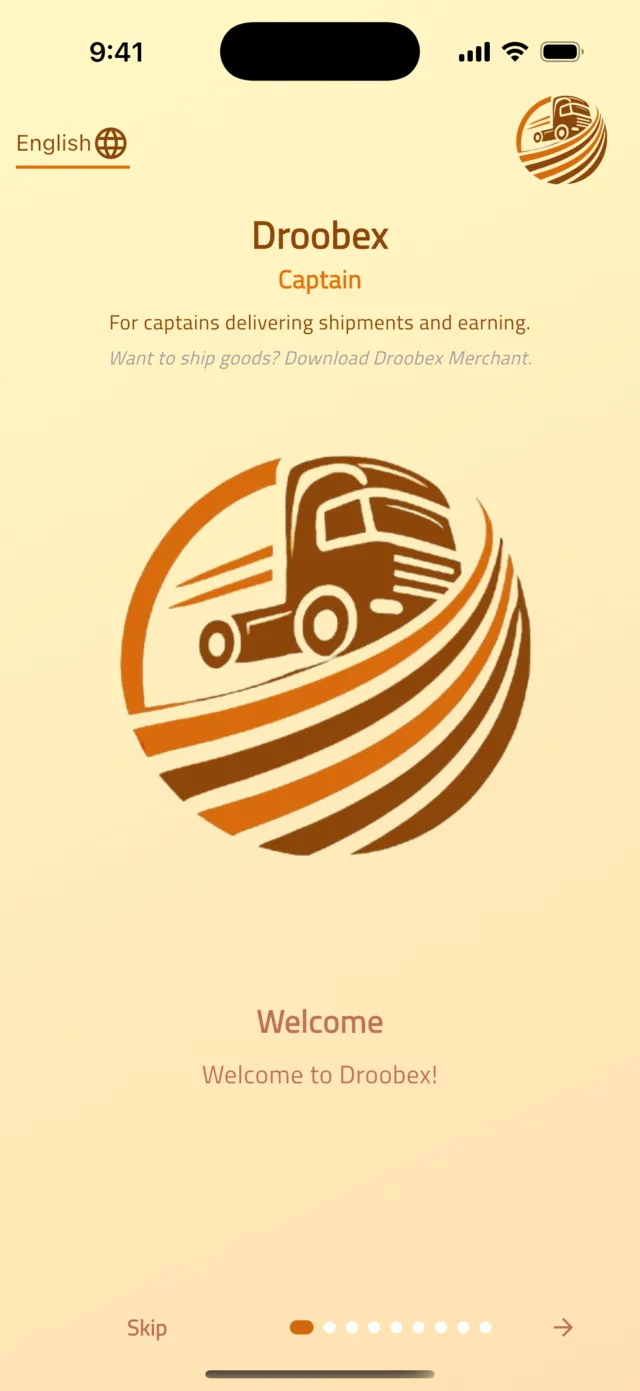
Open the Droobex Driver app (its welcome screen says Droobex Captain). Tap the language button with the globe icon at the top of the welcome screen and choose English, العربية or Türkçe. Swipe through the short introduction, then tap Register on the last page.
Tip: Do not tap Skip — that opens a guest view where you can only browse. Registering takes two minutes.
- 2Step 2
Enter your details
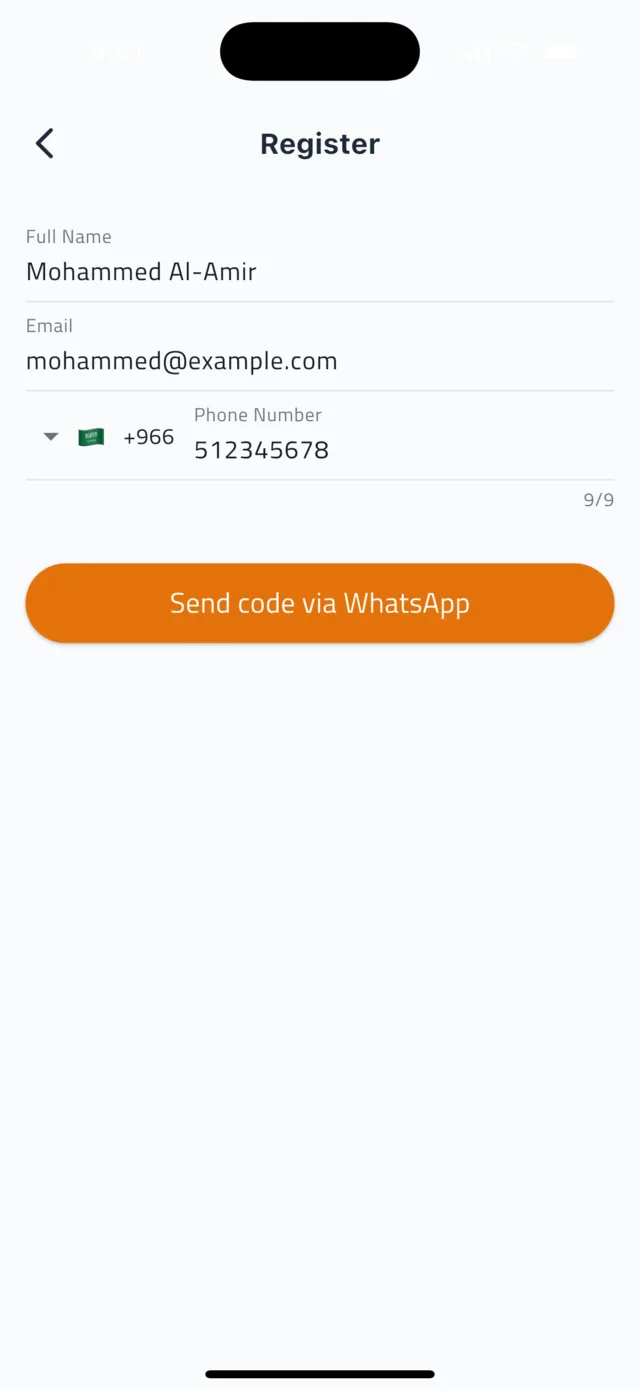
Type your Full Name, Email and Phone Number. Check the country code next to the flag — the number must be the one you use on WhatsApp. Then tap Send code via WhatsApp.
Tip: Your phone number is your login. There is no password to remember.
- 3Step 3
Enter the WhatsApp code
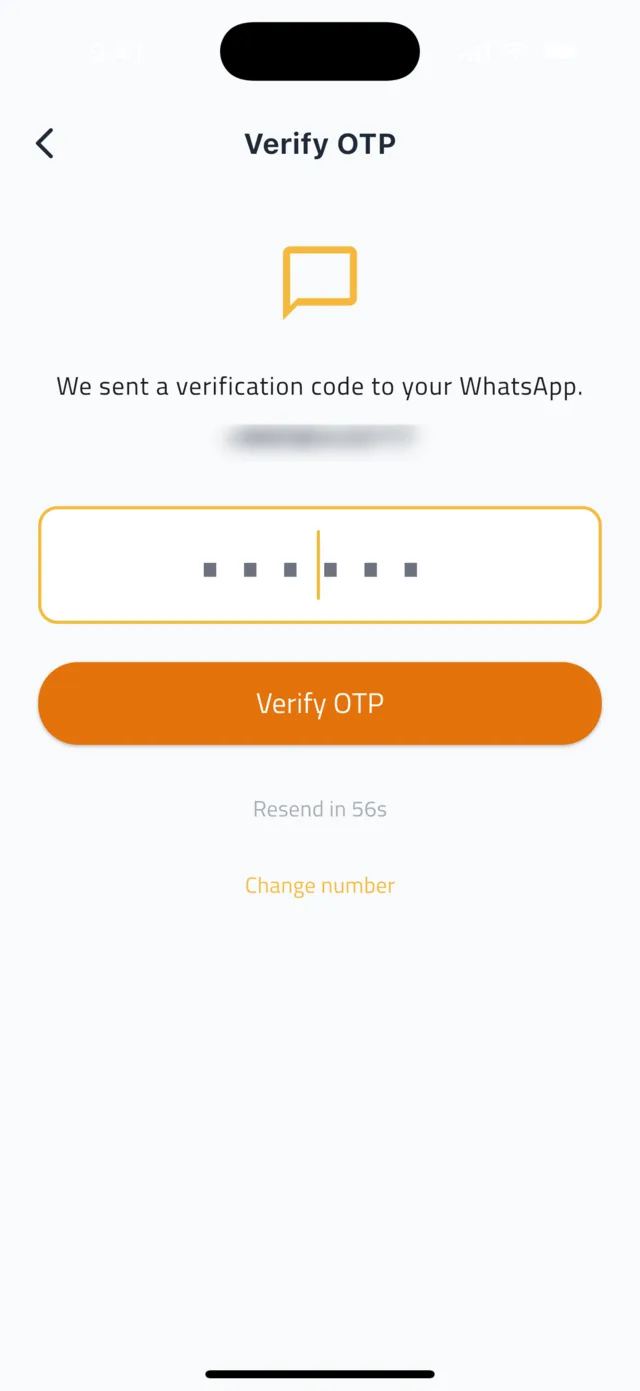
Open WhatsApp: a message from Droobex contains your verification code. Type it into the app and tap Verify OTP. If nothing arrives within a minute, tap Resend code. Typed the wrong number? Tap Change number.
- 4Step 4
Follow the setup checklist
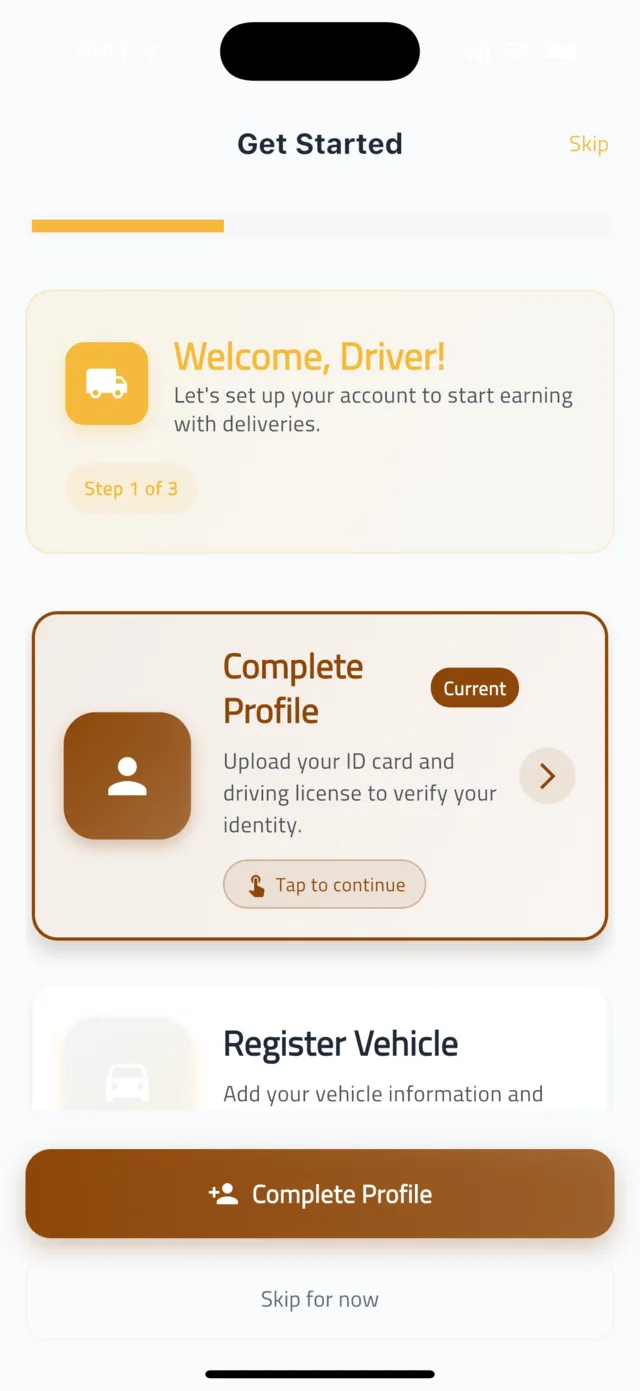
After verification you see three steps: Complete Profile, Register Vehicle and Start Earning. Tap Get Started and complete them in order. Shippers see a Verified badge on your profile before they accept a bid — a verified profile wins far more work.
- 5Step 5
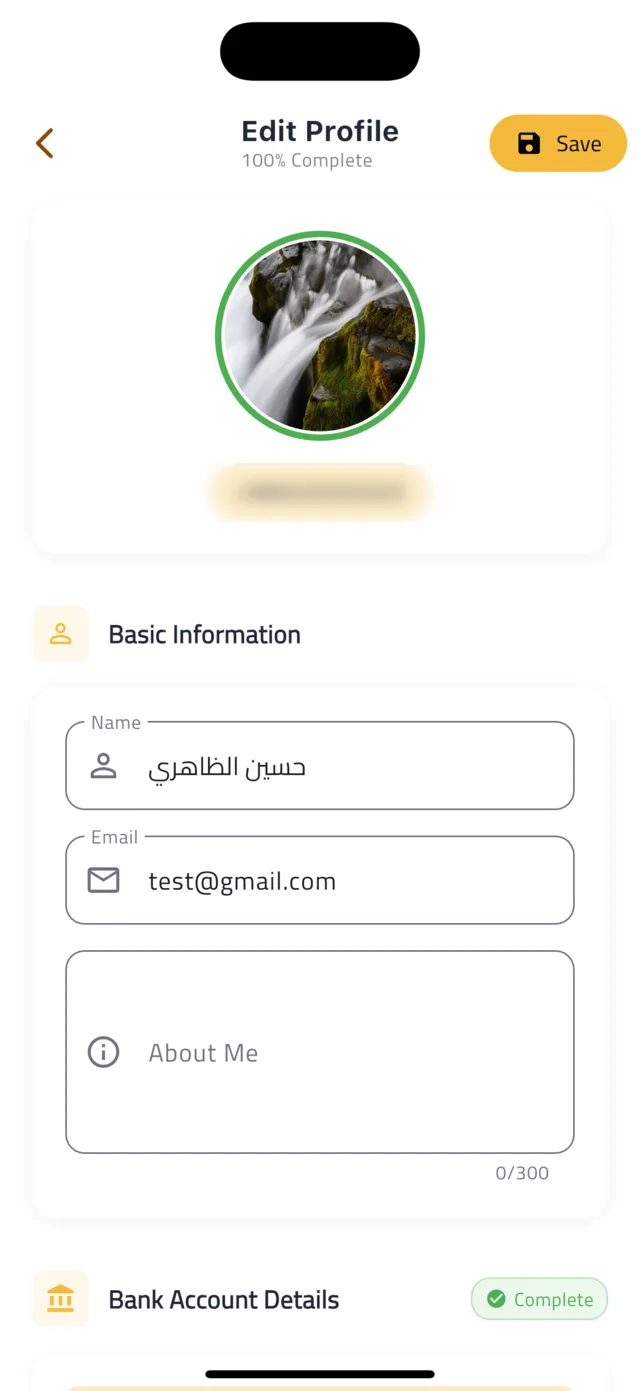
Complete your profile
Fill in your Basic Information and add a clear photo of yourself. Under Documents, tap ID Card and Driving License to upload a photo of each. Under Bank Account Details enter your Bank Name, Account Holder Name and IBAN — this is where your payouts are sent. Tap Save.
Tip: Photograph documents in good light with all four corners visible. Blurry documents are the most common reason for rejection.
- 6Step 6
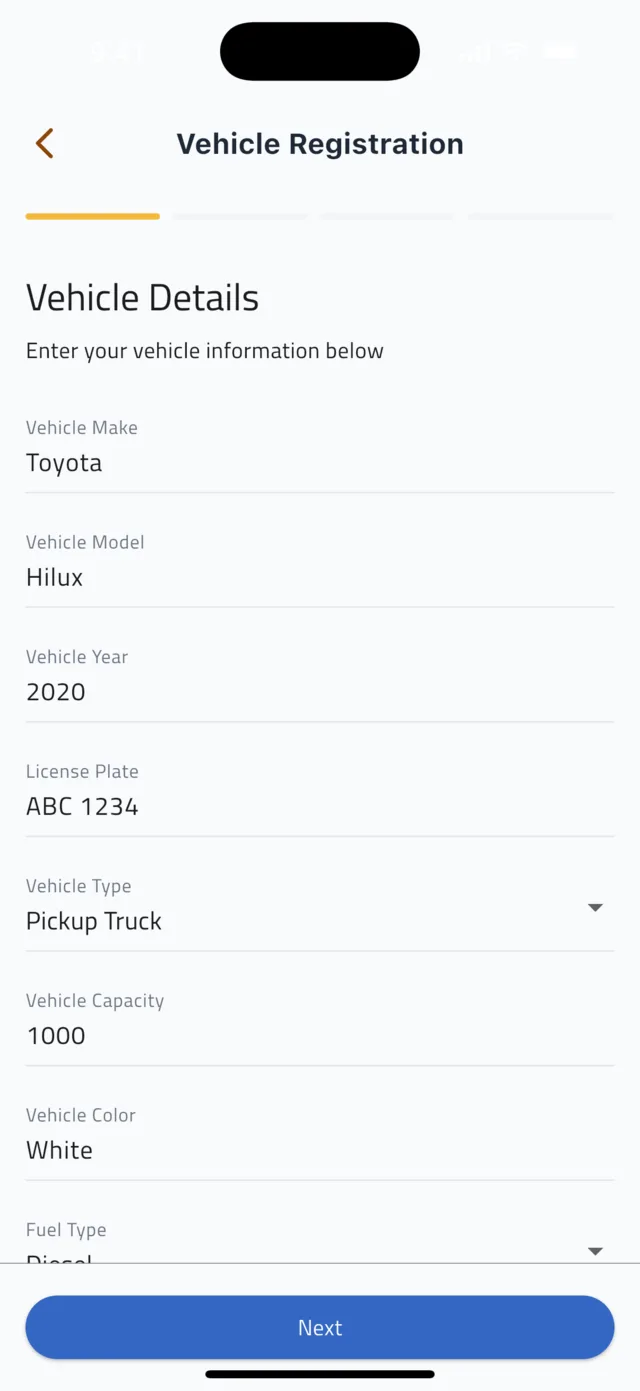
Register your vehicle — details
Tap Register Vehicle. Step 1, Vehicle Details, asks for Vehicle Type, Make & Model, Year, Color, License Plate, Fuel Type and Capacity. Tap Next.
- 7Step 7
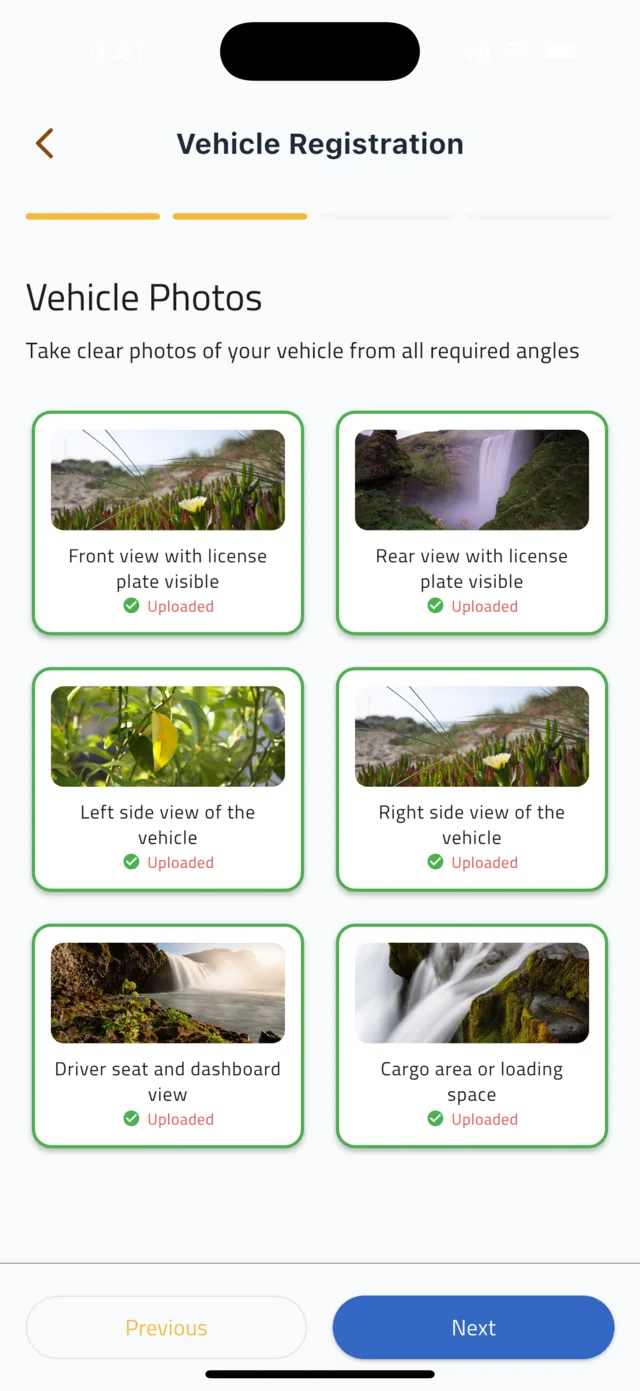
Add six vehicle photos
Step 2, Vehicle Photos, needs six pictures: Front View and Rear View (license plate visible), Left Side, Right Side, Interior and Cargo Area. Tap each tile to take or upload the photo, then tap Next.
- 8Step 8
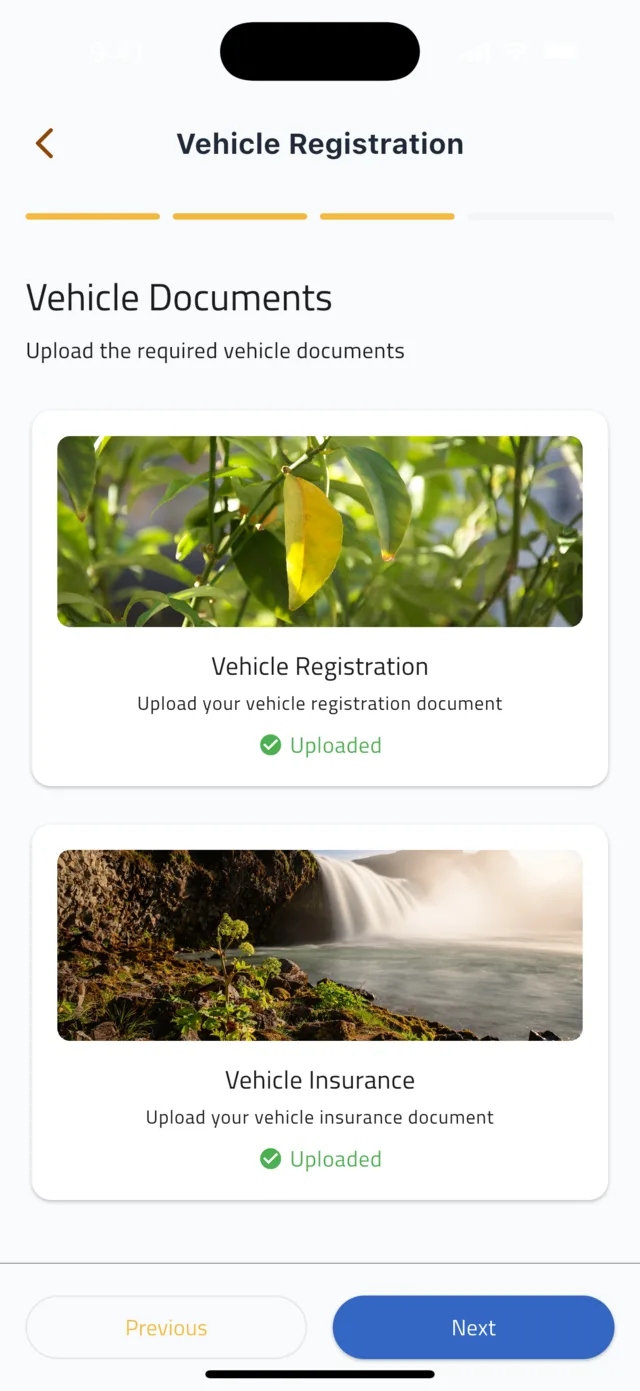
Upload vehicle documents and submit
Step 3, Documents: upload your Vehicle Registration and Vehicle Insurance. Step 4 shows a review of everything you entered — check it, then tap Submit.
- 9Step 9
Wait for approval
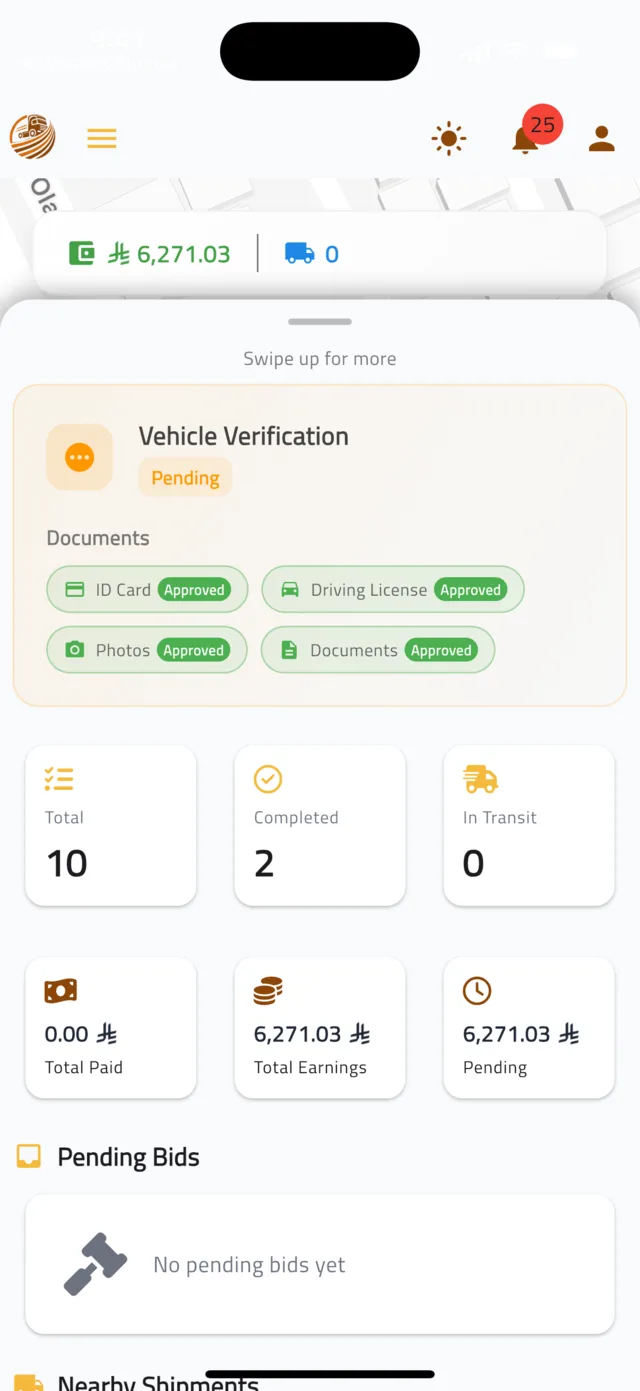
Go back to the home map and drag the bottom panel up. A Vehicle Verification card shows the status — Pending while the Droobex team checks your file — with a chip for each item: ID Card, Driving License, Photos and Documents, each marked Approved once it passes. You get a notification when everything is approved, and only then can you take deliveries. If an item is rejected we contact you; upload it again from Edit Profile.
Common questions
I did not receive the WhatsApp code.▼
Check that the number you entered is the one registered on WhatsApp and that WhatsApp has an internet connection. Wait for the Resend in timer to finish, then tap Resend code.
Can I bid before I am verified?▼
You can browse and place bids, but shippers see the Verified badge on every driver profile and most choose verified drivers. Finish verification first to give your bids the best chance.
Why do you need my IBAN?▼
Your earnings are transferred to the bank account on your profile after each shipment is completed. Without an IBAN we cannot pay you.
Still stuck?
Open the Account tab → Help & Support inside the app to chat with us, or visit the Support Center.
Support CenterGet Droobex Driver