Pick up and deliver a shipment
From the moment your bid is paid to the moment the shipper confirms delivery — every status you need to update.
- 1Step 1
Open your assigned shipment
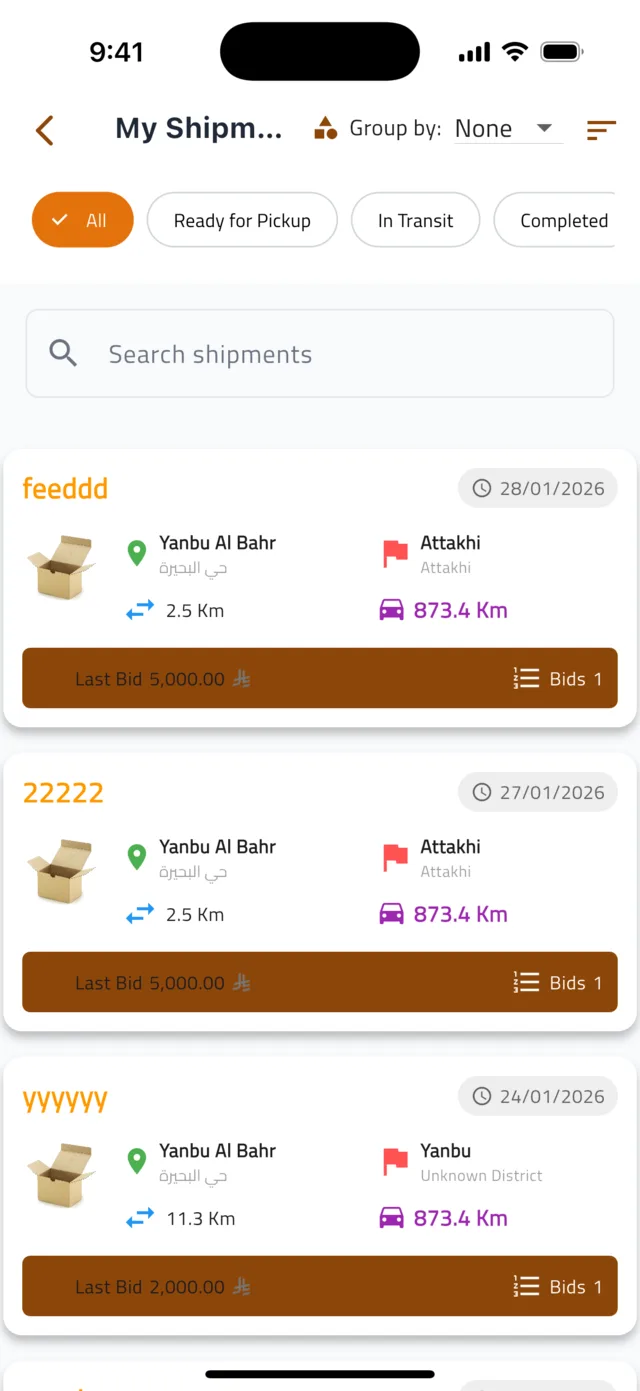
Tap the ☰ menu and choose My Shipments. Use the chips at the top to filter: All, Ready for Pickup, In Transit or Completed. Tap the shipment you are about to handle.
- 2Step 2
Navigate and contact the shipper
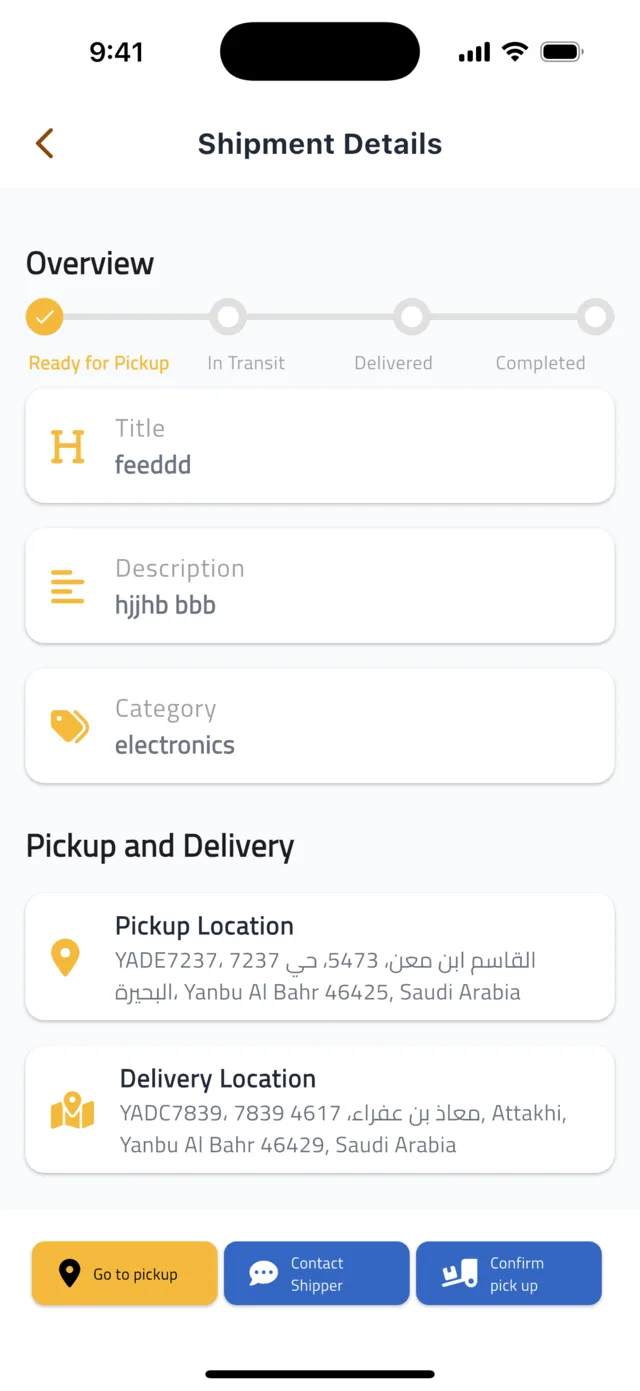
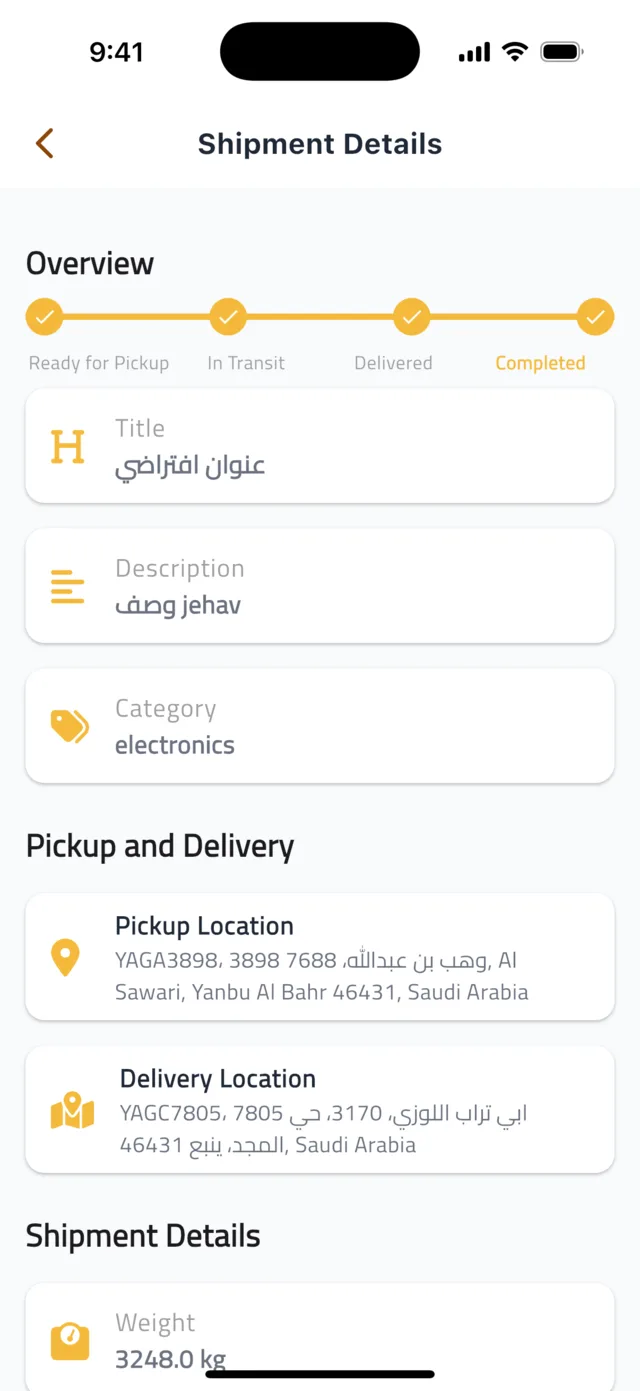
The Overview bar at the top shows where the shipment is: Ready for Pickup → In Transit → Delivered → Completed. At the bottom, tap Go to pickup to open directions in your maps app, or Contact Shipper to chat — you can send text, photos and voice messages to agree on timing.
- 3Step 3
Confirm the pickup
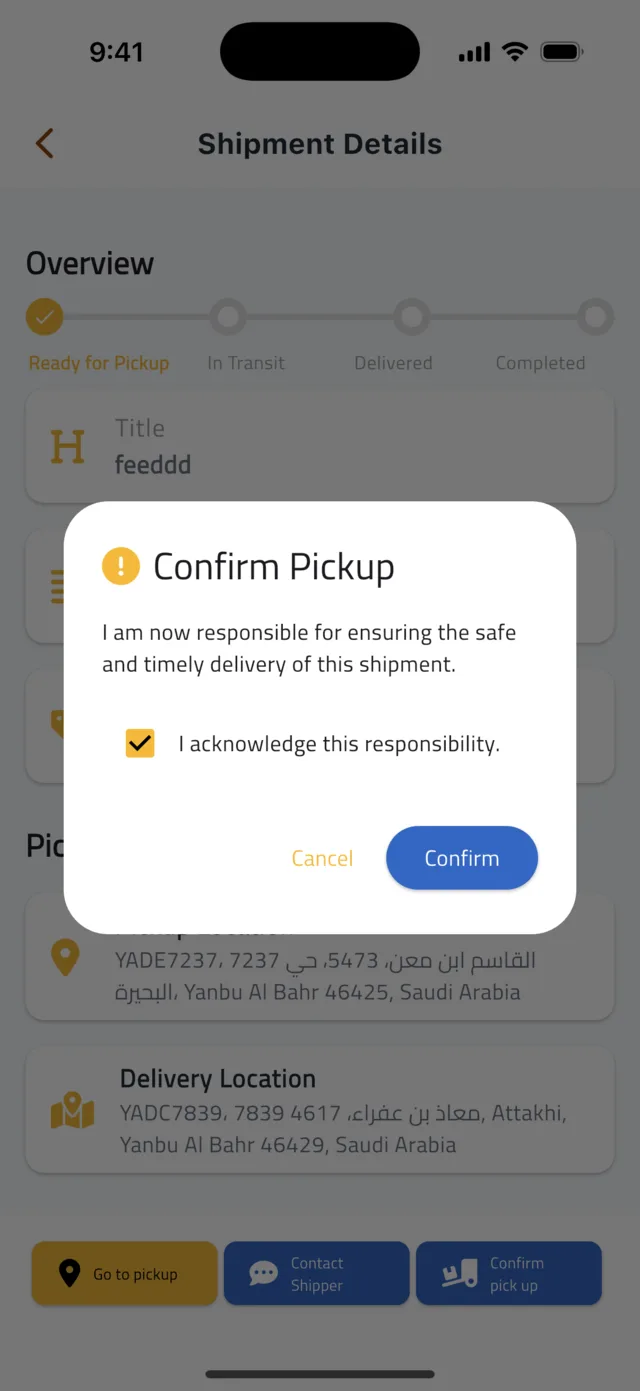
When the goods are in your vehicle, tap Confirm pick up. A Confirm Pickup dialog reminds you that you are now responsible for the safe and timely delivery. Tick I acknowledge this responsibility, then tap Confirm. The status becomes In Transit and the app shares your live location with the shipper.
Tip: Keep location access allowed while a shipment is In Transit — that is what lets the shipper track you.
- 4Step 4
Confirm the delivery
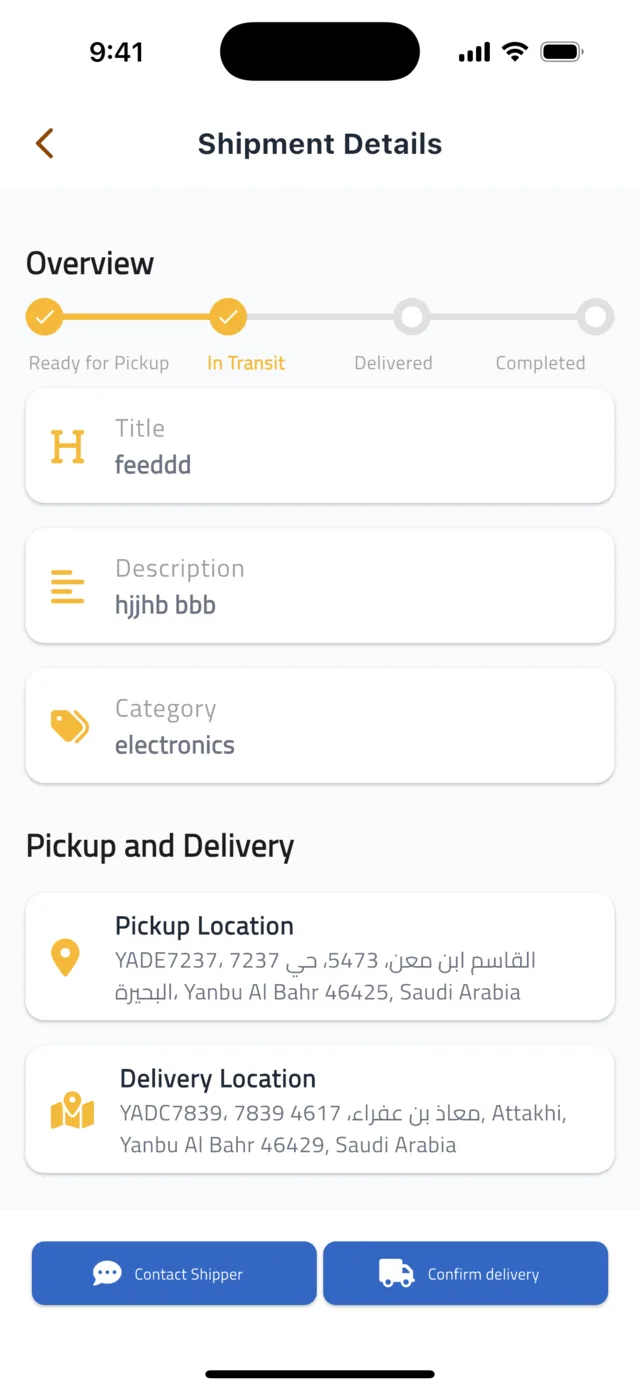
At the drop-off point, hand over the goods and tap Confirm delivery. Tick the acknowledgement box in the Confirm Delivery dialog and tap Confirm. The status becomes Delivered.
- 5Step 5
Wait for the shipper to confirm
The shipper checks the goods and confirms receipt in their app. The shipment then shows as Completed in My Shipments, and your earnings move to Pending in My Payouts.
Common questions
The shipper is not answering.▼
Use Contact Shipper to send a message — they receive a notification. If you still cannot reach them, open Account → Instant Support and tell us the shipment title.
I confirmed the wrong status.▼
Status changes cannot be undone from the app. Open Account → Instant Support and we will correct it.
Still stuck?
Open the Account tab → Help & Support inside the app to chat with us, or visit the Support Center.
Support CenterGet Droobex Driver