Earnings, payouts and reviews
Where to see what you have earned, what is still pending, and how shippers rated you.
- 1Step 1
Check your earnings at a glance
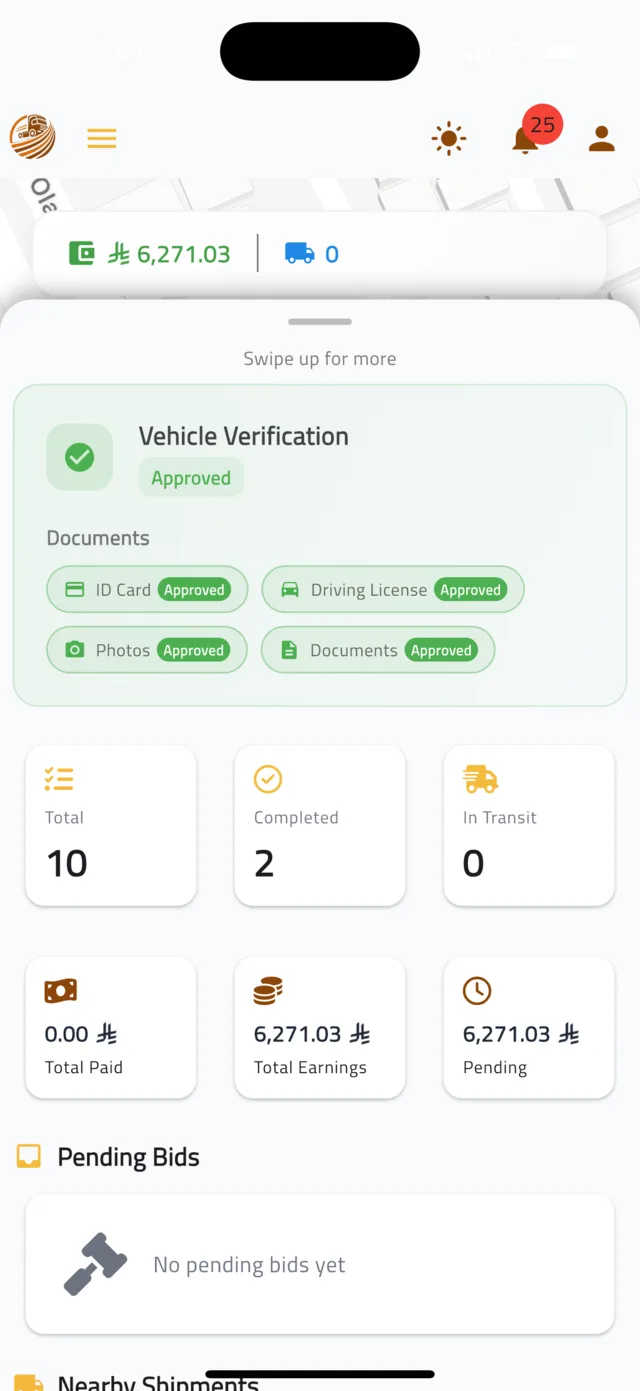
On the home map, drag the bottom panel up. The cards show your shipment counts — Total, Completed, In Transit — and your money: Total Paid, Total Earnings and Pending.
- 2Step 2
Open My Payouts
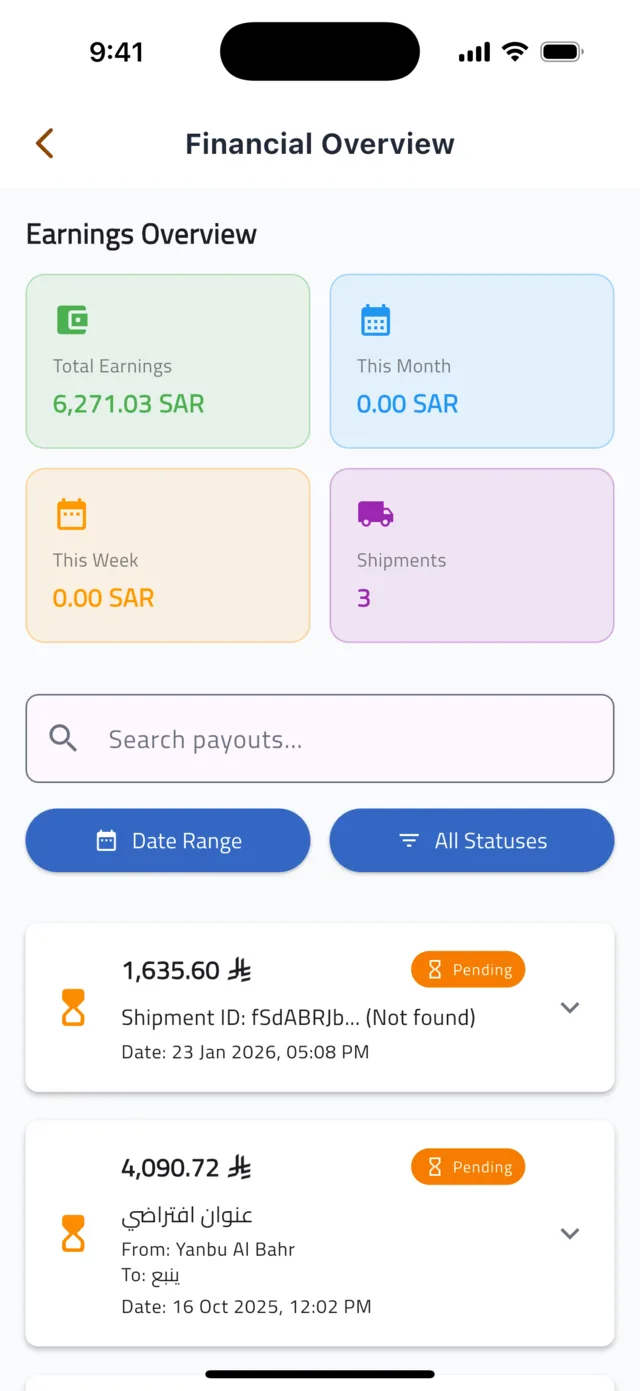
Tap the Account icon at the top, then My Payouts. The Financial Overview shows Total Earnings, This Month, This Week and your Shipments count, followed by every payout with its shipment, amount and status: Pending or Paid. Use Date Range and All Statuses to filter, or search by shipment.
- 3Step 3
See your reviews
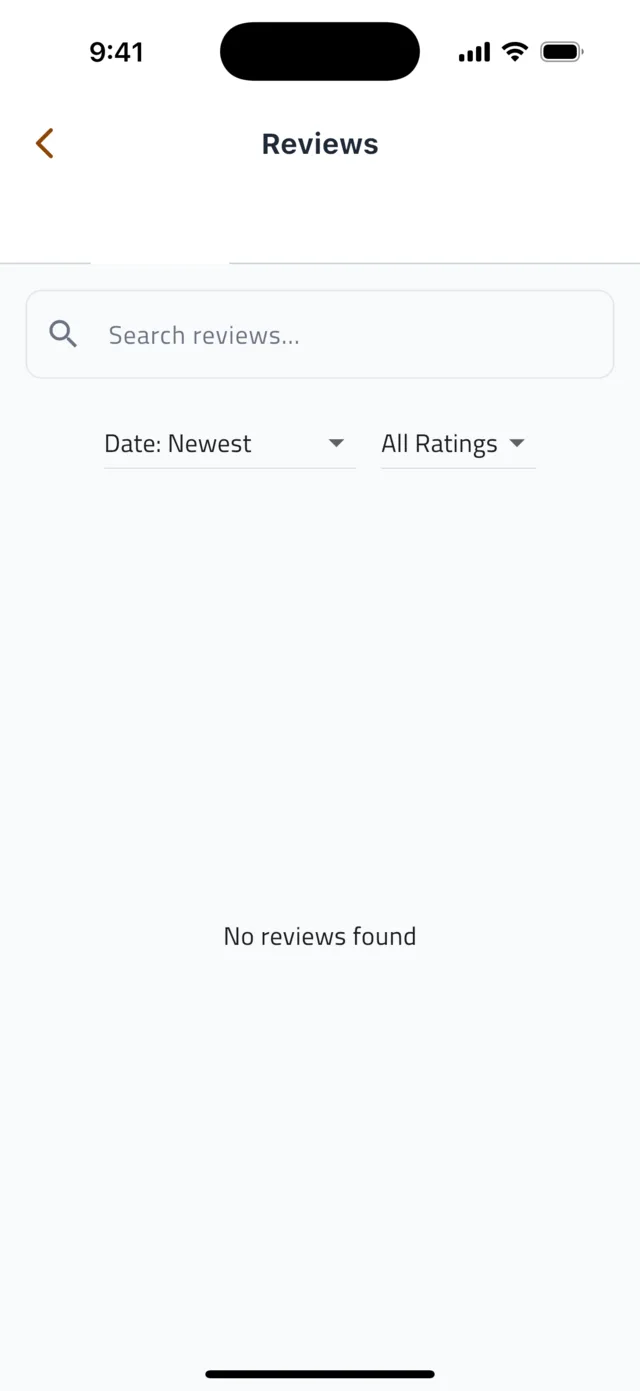
In Account, tap Reviews. Here you see every rating and comment shippers left for you. Your average rating is shown to shippers next to every bid you place, so good service directly wins you more work.
- 4Step 4
Need help with a payment?
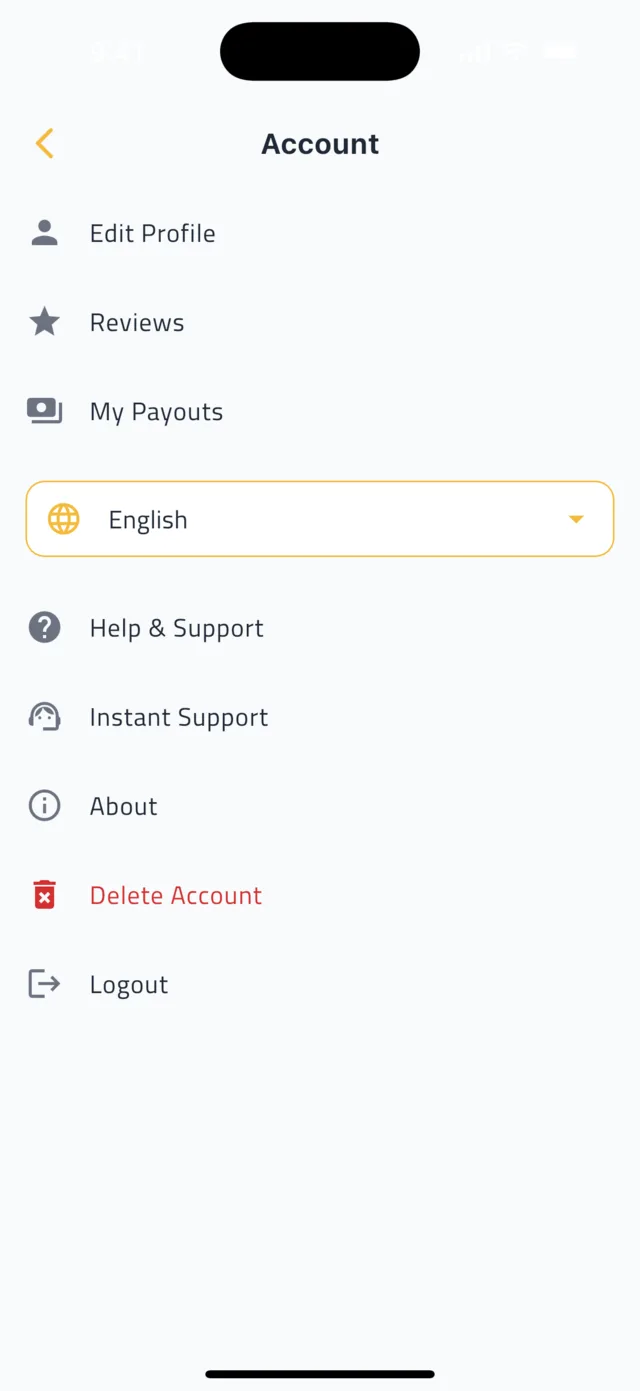
In Account, open Help & Support for answers to common questions, or tap Instant Support to chat with the Droobex team.
Common questions
When does a pending payout get paid?▼
Payouts are processed after the shipper confirms delivery and the shipment is Completed. The status in My Payouts changes to Paid when the transfer to your IBAN is done.
Why is my payout less than my bid?▼
Your payout is the bid amount minus the Droobex service commission. Tap any payout in My Payouts to see the Commission Deducted and the exact breakdown.
I have not added my bank account yet.▼
Open Account → Edit Profile and fill in Bank Account Details: Bank Name, Account Holder Name and IBAN. Payouts cannot be sent until this is complete.
Still stuck?
Open the Account tab → Help & Support inside the app to chat with us, or visit the Support Center.
Support CenterGet Droobex Driver