Create your shipper account
Sign up in under two minutes with your name, email and WhatsApp number — no password needed.
- 1Step 1
Choose your language
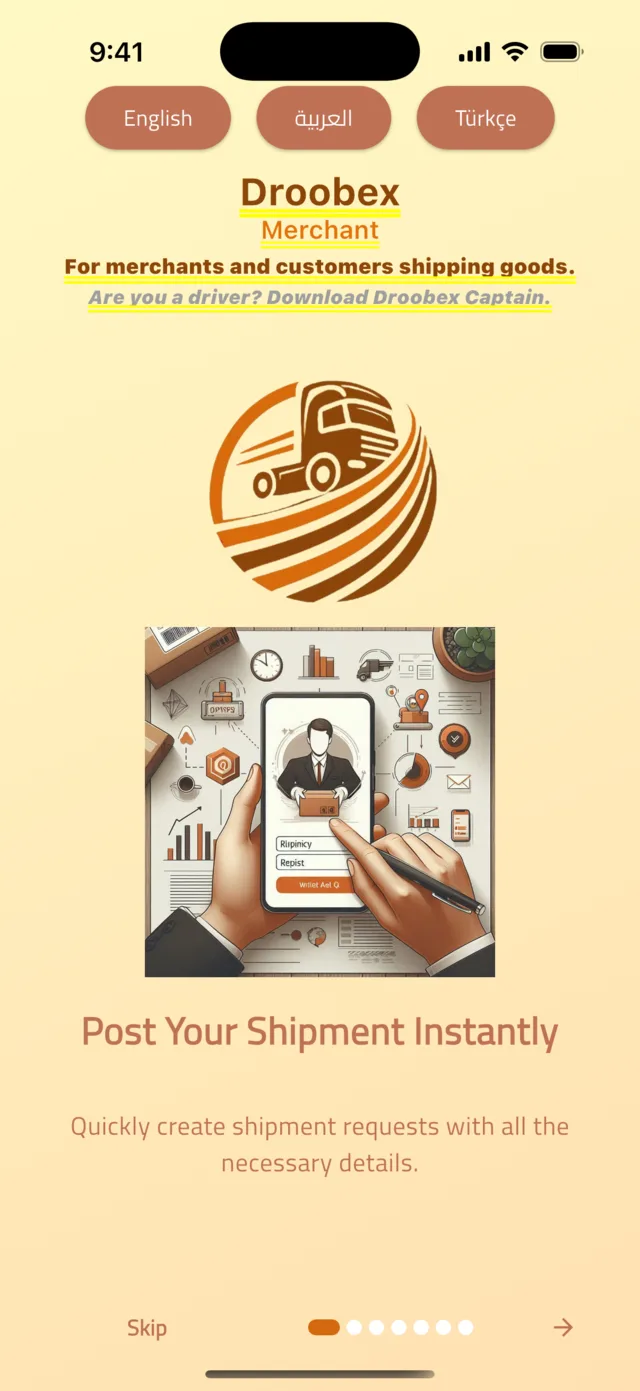
Open the Droobex Shipper app (its welcome screen says Droobex Merchant). Tap English, العربية or Türkçe at the top. Swipe through the seven short introduction pages with the arrow, then tap Register Now on the last page.
Tip: Skip opens a guest view where you can only browse. You need an account to post a shipment or accept a bid, so register now — it takes two minutes.
- 2Step 2
Enter your details
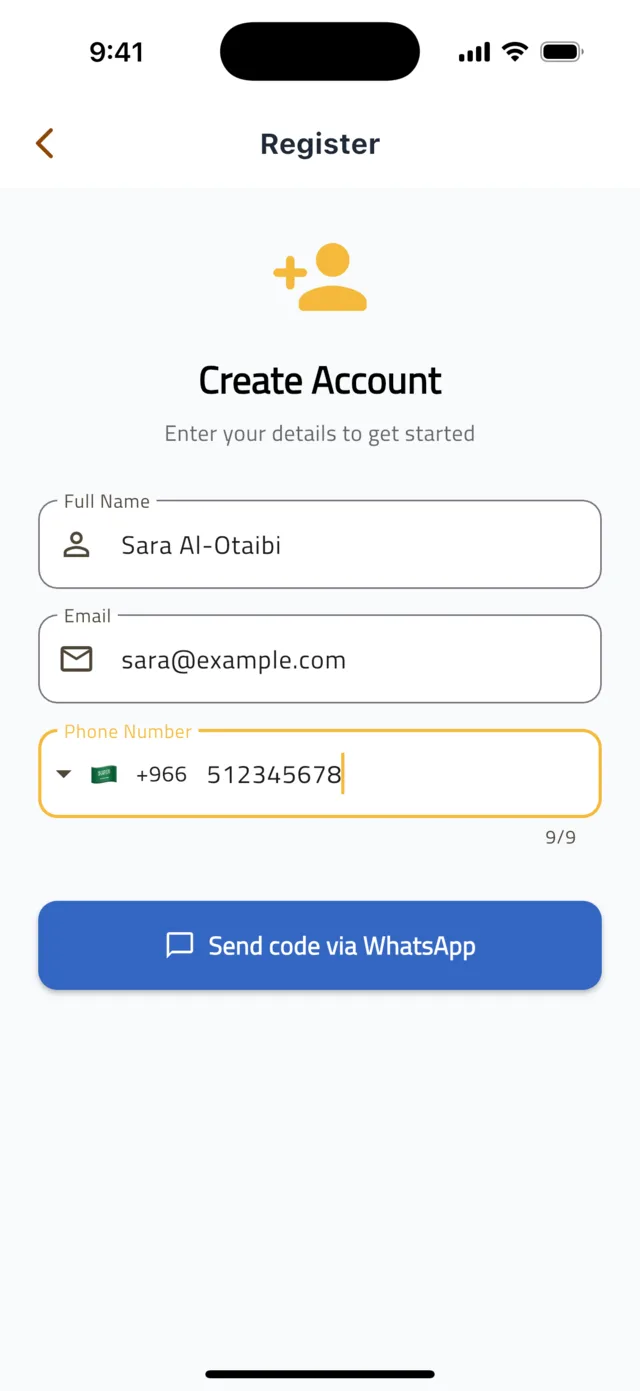
On the Create Account screen type your Full Name, Email and Phone Number. Check the country code next to the flag (+966 for Saudi Arabia, +90 for Türkiye) — the number must be the one you use on WhatsApp. Tap Send code via WhatsApp.
Tip: Your WhatsApp number is your login. There is no password to remember.
- 3Step 3
Enter the WhatsApp code
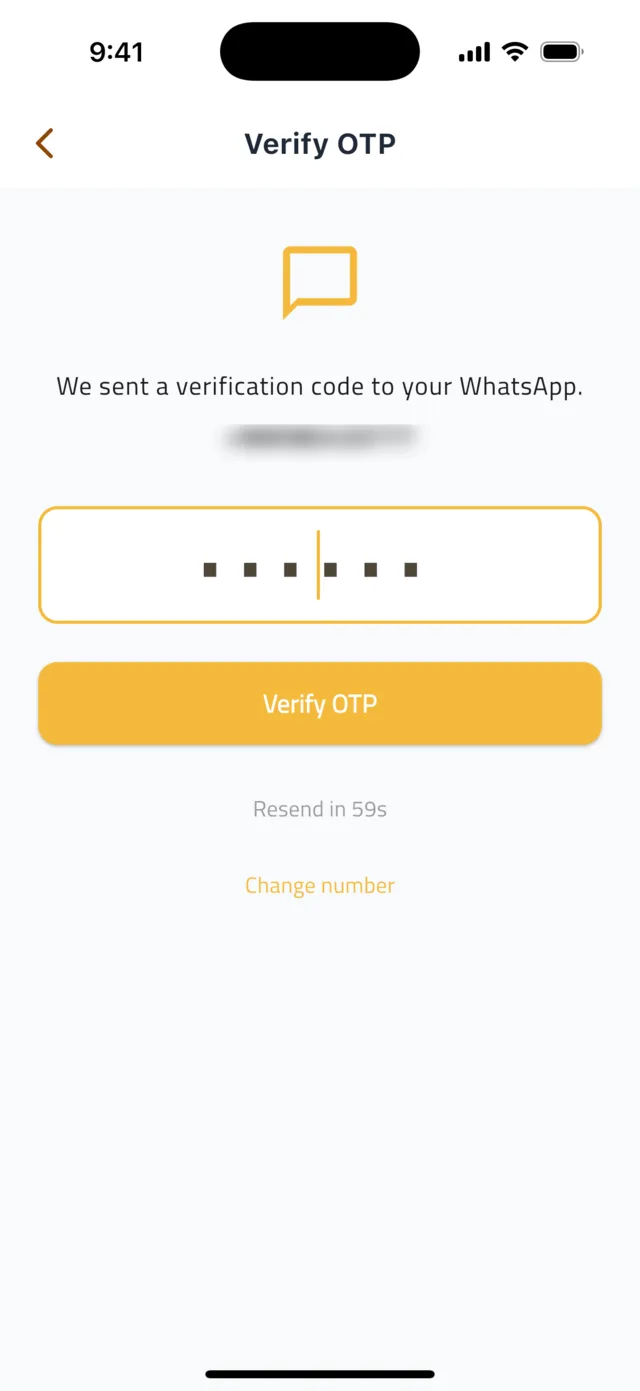
Open WhatsApp: a message from Droobex contains a 6-digit code. Type it on the Verify OTP screen — it is checked automatically as soon as the sixth digit is in. Nothing after a minute? Tap Resend code. Typed the wrong number? Tap Change number.
- 4Step 4
You are in
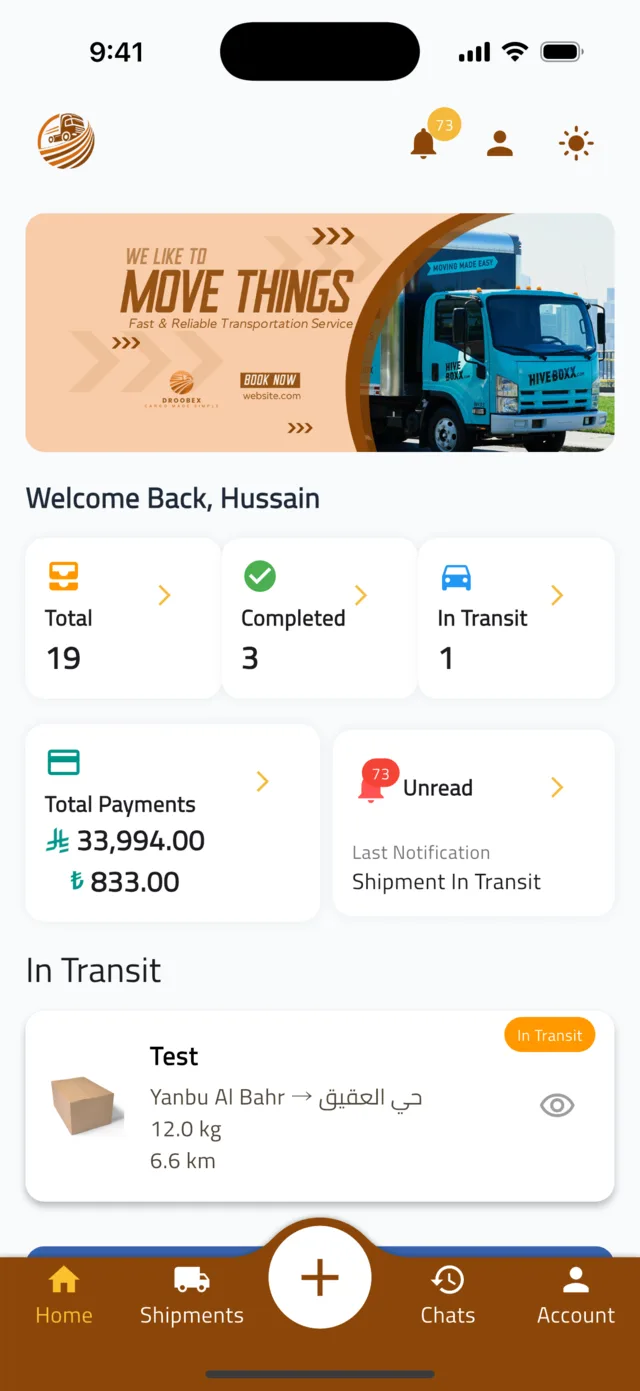
Your account is ready and you land on the Home tab. The bottom bar has Home, Shipments, a round + button in the middle, Chats and Account. Tap + whenever you want to post a shipment.
Common questions
Can I look around without registering?▼
Yes — tap Skip on the welcome screen to browse as a guest. Posting a shipment, chatting and paying all need an account.
I did not receive the WhatsApp code.▼
Make sure the number you entered is the one registered on WhatsApp and that WhatsApp has an internet connection. Wait for the Resend in timer to finish, then tap Resend code. Requesting too many codes in a short time blocks you for a while — wait 15 minutes and try again.
I have a driver account. Do I need a separate one?▼
Yes. Drivers use the Droobex Driver app (its welcome screen says Droobex Captain); shippers use Droobex Shipper (welcome screen: Droobex Merchant). Install Droobex Shipper from the App Store or Google Play and register there with your WhatsApp number.
Still stuck?
Open the Account tab → Help & Support inside the app to chat with us, or visit the Support Center.
Support CenterGet Droobex Shipper